Enshrouded Save Editor: Edit Items, Gear, Level and Skills
A free Enshrouded save editor that runs in your browser. Add items, swap and upgrade gear, set your level and XP, and apply a skill build to a .ksd save.
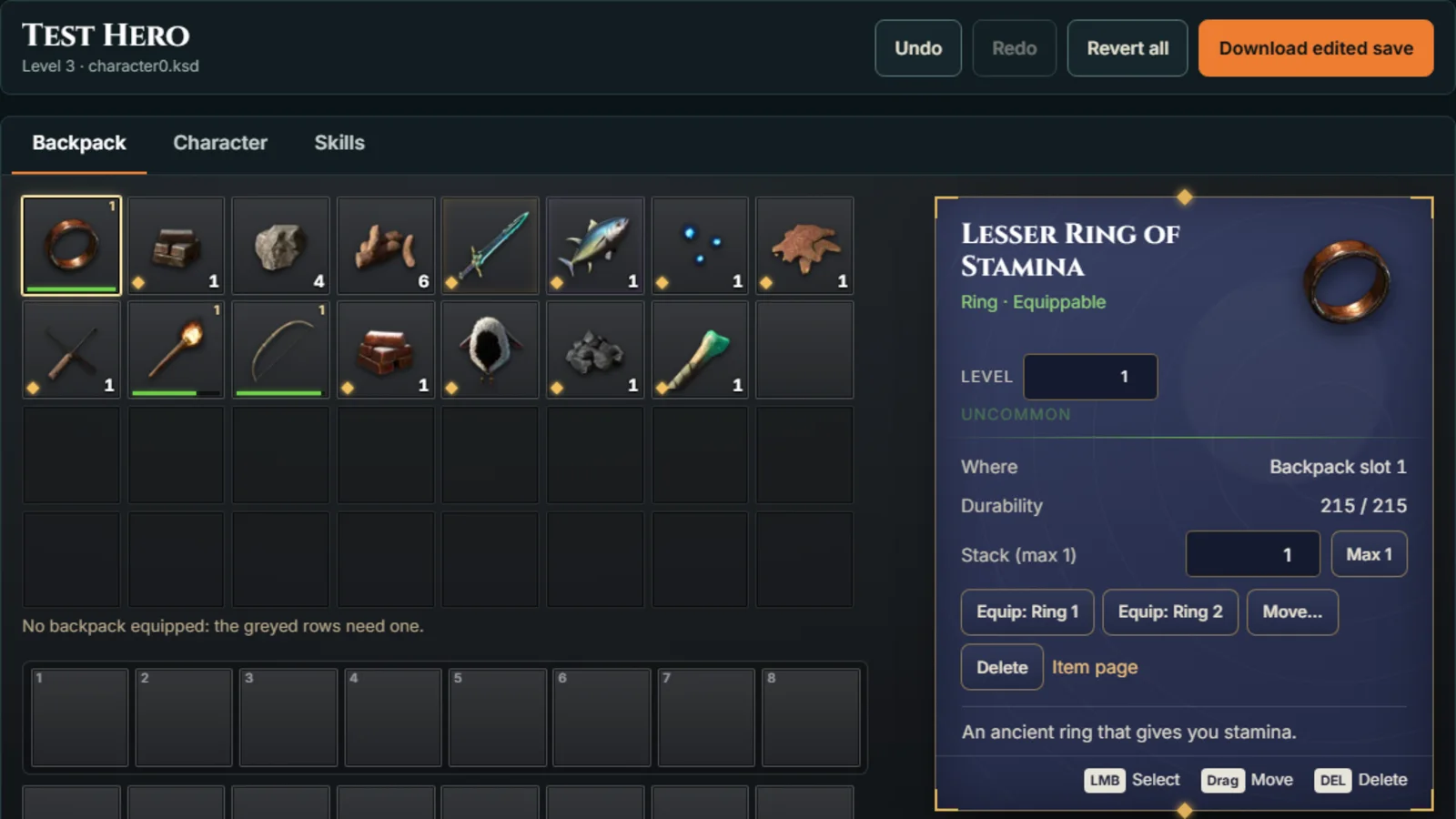
The Enshrouded save editor opens a character save, lets you change your backpack, gear, level and skills, and gives you back an edited file to put in place of the original. It runs in your browser. The save never leaves your computer.
Back up first
Before you edit anything:
- Copy your save somewhere safe. If something goes wrong, you put the copy back.
- Close the game, or sit at the main menu. If a character is loaded, the game writes its own save when you quit and overwrites your edit.
- Watch out for Steam Cloud. Steam can put the cloud copy back over your edited file. The editor suggests turning cloud saves off for Enshrouded: in your Steam library, right-click Enshrouded, choose Properties, and turn off Steam Cloud on the General page. If Steam shows a cloud save conflict when you launch, choose the local file.
Edit your own characters. Ask the host before you bring an edited character into someone else’s world.
Where Enshrouded saves are
With Steam Cloud on (the default for most players), character saves live in your Steam folder:
C:\Program Files (x86)\Steam\userdata\<your Steam ID>\1203620\remote\character0.ksdWith Steam Cloud off, they are in %USERPROFILE%\Saved Games\Enshrouded\ instead.
1203620 is Enshrouded’s Steam app ID. Each character is its own file: character0.ksd, character1.ksd and so on.
The Find my save panel builds the Steam path for you. Enter your Steam ID (your 17-digit SteamID64, your profile link or the number of your userdata folder all work), pick the character slot, and press Copy folder path, then paste it into the file picker’s address bar. Your Steam ID is remembered in your browser’s local storage, not sent anywhere. In Chrome and Edge the file picker also remembers the folder, so next time it opens there.
Backpack tab
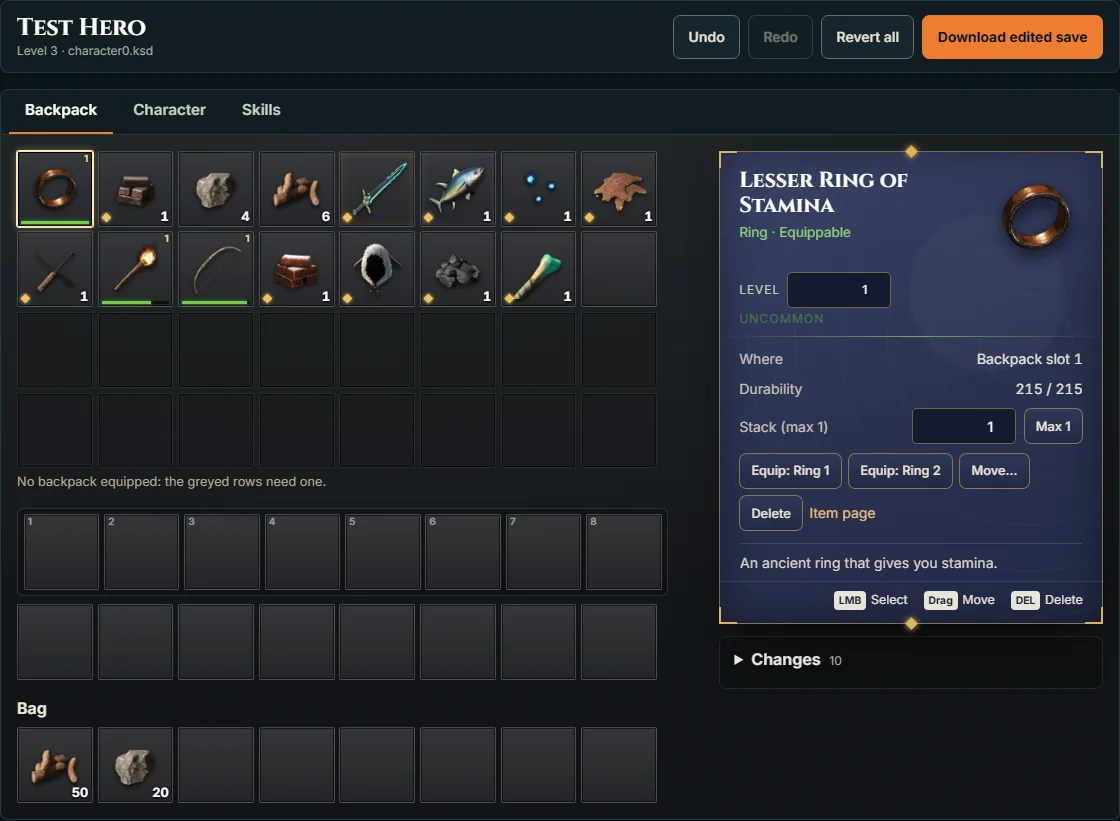
The Backpack tab is laid out like the in-game inventory: backpack grid, hotbar and the rest of your slots.
- Move items: drag an item to another slot, or select it, press Move, and pick the new slot.
- Add any item: pick an empty slot and choose from every item in the game.
- Change stacks: type a count, or press Max to fill the stack.
- Set item level: gear has a level field.
- Delete: select an item and press Delete.
Undo, Redo and Revert all sit at the top, next to Download edited save.
Character tab
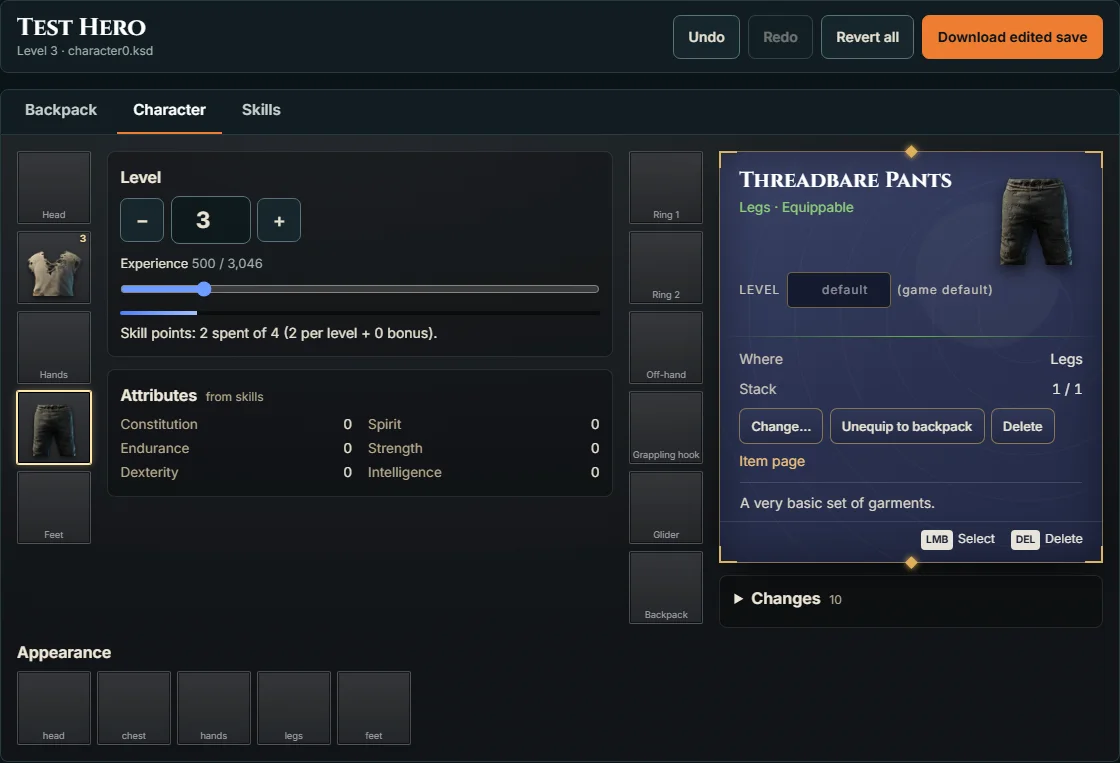
The Character tab shows your equipment slots around your level and attributes.
- Gear: equip, swap or unequip items, and set each item’s upgrade level.
- Level and XP: set your level up to 50, and drag the XP bar within that level.
- Attributes: totals from your skills, updated as you change them.
Skills tab
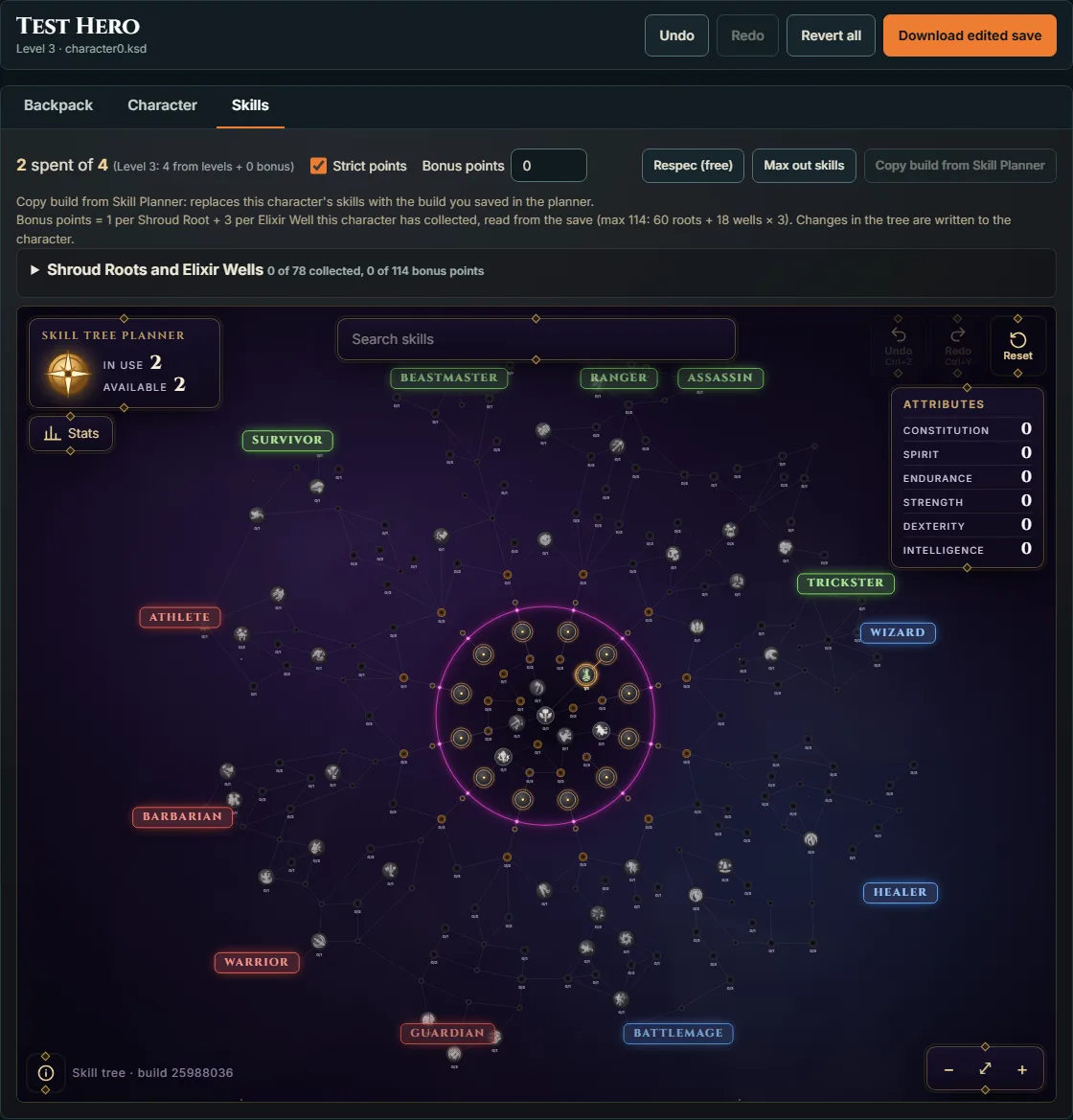
The Skills tab has our skill tree planner built in. Changes in the tree are written to your character.
- Strict points is on by default. It allows 2 points per level after level 1, plus bonus points for the Shroud Roots and Elixir Wells you’ve found. Bonus points are capped at 114: 60 Shroud Roots worth 1 point each and 18 Elixir Wells worth 3. The editor reads how many you’ve collected from the save. A level 50 character tops out at 212 points.
- Respec (free): clears your skills so you can spend the points again.
- Copy build from Skill Planner: replaces the character’s skills with the build you saved in the planner. It asks before it changes anything.
- Max out skills: spends every point your level and bonus points give, starting with the nodes next to the Sparks. The whole tree costs 675 points, far more than the game gives, and the game resets every skill when it loads a character with more points spent than earned, so this button stops at the points the character has earned.
- Shroud Roots and Elixir Wells: shows which ones the character has collected, by region, and lets you mark more (1 bonus point per root, 3 per well, up to 114). Marking one counts as collecting it, so Steam can unlock real achievements such as the region weeding ones when you load the save. The editor asks first.

Plan a build first with the build planner guide, then apply it here.
What we tested in game
We edited a test character and loaded each change in Enshrouded 1.0:
- Changing item counts and adding a new item to an empty slot.
- Raising the level from 2 to 10. The game showed level 10 with 18 skill points earned.
- Swapping in a different ring and raising another ring’s upgrade level.
All of them loaded. We also marked every Shroud Root and Elixir Well collected on a level 50 character: the game gave 212 skill points, kept all 212 spent, and unlocked the region weeding achievements on Steam.
How it works
A .ksd file is a set of compressed data blocks with a table of contents. The editor unpacks them, changes the values, then repacks the blocks and updates each block’s checksum so the game accepts the file. Item and skill IDs in the save match the ones on this site, which is how the editor shows the right names and icons.
FAQ
Where are Enshrouded save files on PC?
With Steam Cloud on (the default), character saves are in C:\Program Files (x86)\Steam\userdata\<your Steam ID>\1203620\remote\. With Steam Cloud off, they are in %USERPROFILE%\Saved Games\Enshrouded\. Each character is its own file: character0.ksd, character1.ksd and so on.
Is my save uploaded anywhere?
No. The editor reads and writes the file in your browser. Your Steam ID is kept in your browser's local storage only.
Can the save editor change my level?
Yes, up to the level cap of 50. We tested a jump from level 2 to level 10 and it loaded in game with the right skill points.
How many skill points does strict mode allow?
2 per level after level 1, plus up to 114 bonus points: 60 Shroud Roots at 1 point each and 18 Elixir Wells at 3 each.
Can you unlock every skill with the save editor?
No. The whole tree costs 675 points and the game resets every skill when more points are spent than earned. The most a character can earn is 212 at level 50 with every Shroud Root and Elixir Well, and we confirmed in game that marking them all collected in the save gives that 212.